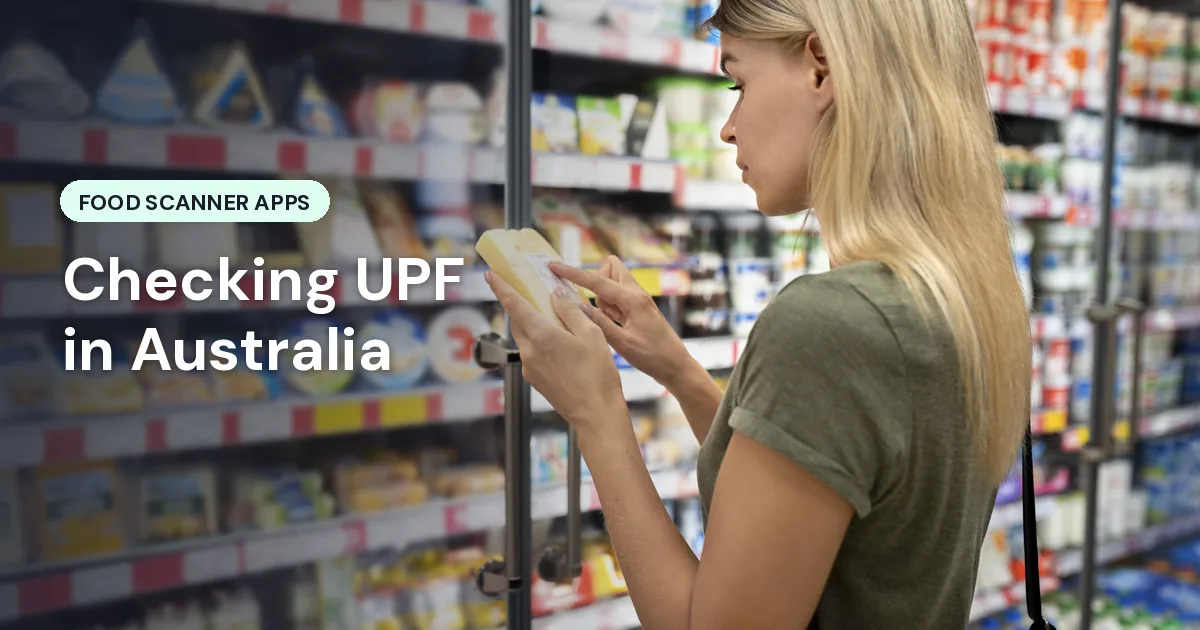
You’re standing in a Coles or Woolworths aisle with two boxes of crackers. One has 4 stars on the front, the other has 3½. Both say “made with real ingredients”. Neither tells you what you actually want to know: how processed is this?
That’s not a gap in your label-reading skills. Australian food labels aren’t designed to answer it. The Health Star Rating looks at nutrients, the ingredient list tells you what went in, and nothing on the pack sums up processing. So people reach for a food scanner app and hope it fills the gap.
It can, if you know what the app is measuring and how to check its answer against the label. Here’s a practical way to do both on Australian packs.
Why Australian labels don’t say “ultra-processed”
Food labels in Australia are set by the Food Standards Code, managed by Food Standards Australia New Zealand (FSANZ). The Code covers ingredient lists, nutrition information panels, allergens and additives (FSANZ labelling information). None of those elements classifies a food by how processed it is.
“Ultra-processed” comes from the NOVA system, which sorts foods into four groups by the extent and purpose of processing: unprocessed or minimally processed foods, processed culinary ingredients, processed foods and ultra-processed foods (FAO report on NOVA; Monteiro et al., 2019). It’s a research framework, not a labelling rule. For a plain-English walkthrough of the four groups, see NOVA food classification explained.
So a processing check is something you do yourself, with the label, an app or both.
Health Star Rating vs a processing check
The Health Star Rating (HSR) is a voluntary front-of-pack system that rates the overall nutritional profile of a packaged food from ½ to 5 stars, so you can compare similar products. Its algorithm weighs energy, saturated fat, total sugars and sodium against protein, fibre and fruit, vegetable, nut and legume content (FSANZ, Health Star Rating System).
Notice what’s not in that list: the type of ingredients or how they were made. Two products can earn similar stars while one is mostly whole ingredients and the other is built from refined starches, protein isolates and additives. And because the scheme is voluntary, not every pack carries stars.
Stars and processing answer different questions, so it’s worth reading them side by side:
What a food scanner app should do on Australian packs
Most food scanner apps work in one of two ways: they look up a product by its barcode, or they read the ingredient list from a photo. Barcode lookups are fast but depend on the product being in the app’s database. Ingredient photos work on almost any pack, including imported and small-brand products. (Our guide to how food barcode scanners work goes deeper on this.)
When you compare apps, check for:
- A clear processing result. If the app uses NOVA, it should say so and show which group a product falls into.
- Reasons you can verify. The result should point to specific ingredients, so you can find them on the pack yourself.
- A fallback when the barcode isn’t found. Ingredient-photo scanning matters for products that aren’t in a database yet.
- No fear language. A permitted additive isn’t a poison. Good apps explain what an ingredient is, rather than labelling it “toxic”.
Reading the ingredient list the Australian way
Whatever the app says, the ingredient list is the evidence. Three FSANZ rules make it easier to read.
1. Order tells you proportion
Ingredients must be listed in descending order by ingoing weight, so the first ingredient contributed the most when the food was made (FSANZ, ingredient lists). Most packaged foods must also show the percentage of their characterising ingredient, such as “9% strawberries” in a strawberry yoghurt. That figure is handy when you’re comparing two versions of the same food.
2. Additives appear as a class name plus a name or number
Most additives must be listed by their class name, which tells you what they do, followed by their name or number. FSANZ’s examples are Colour (Caramel I) or Colour (150a) (FSANZ, food additive labelling). Flavourings and enzymes can be listed by class name alone. FSANZ publishes alphabetical and numeric additive lists you can check while you shop.
Additives permitted in Australia have been assessed for safety, and many also occur naturally, such as ascorbic acid (300), which is vitamin C (FSANZ, additives overview). From a processing point of view, though, a long run of class names such as emulsifier, thickener, flavour enhancer or colour is one of the signs NOVA associates with ultra-processed products (Monteiro et al., 2019). Our food additive checker guide explains common additive classes in more detail.
3. Allergens are bolded, with a “Contains” summary
Under Plain English Allergen Labelling, packaged and labelled foods must name declared allergens in bold in the ingredient list, with a bolded summary statement starting with “Contains” near the list (FSANZ, allergen labelling). “May contain” statements are voluntary and not regulated by the Food Standards Code. If you manage an allergy, read the label itself every time, even if an app gives you a result.
Quick tip: keep FSANZ’s numeric additive list bookmarked on your phone. When an app flags an additive, you can look up its number and class in seconds.
A 60-second supermarket routine
- Scan the barcode. If the product isn’t found, photograph the ingredient list instead.
- Read the result’s reasons. Which ingredients drove the classification?
- Turn the pack over. Check the first three ingredients and look for additive class names and ingredients you wouldn’t use in a home kitchen.
- Check the nutrition panel. Use the per 100 g column to compare similar products on the same basis (FSANZ, nutrition information panels).
- Glance at the stars, if shown. Stars tell you about nutrients; your scan tells you about processing. Use both.
- Pick a swap, not a rule. If one option is less processed and fits your needs and budget, choose it. If not, buy what works and move on.
The aim isn’t a perfect trolley. It’s knowing what you’re choosing, so a more processed product becomes a decision rather than a surprise.
Common questions
Is there a UPF label in Australia?
No. Australian labelling rules cover ingredients, nutrition information, allergens and the voluntary Health Star Rating, but there’s no required “ultra-processed” declaration (FSANZ). A NOVA-based app or your own ingredient check fills that gap.
Does a high Health Star Rating mean a food isn’t ultra-processed?
Not necessarily. The HSR rates nutrients such as saturated fat, sugars, sodium, fibre and protein (FSANZ). It doesn’t assess processing, so check the ingredient list as well.
Are additive numbers a bad sign?
Not on their own. Numbers are a short way to name permitted additives, and some, like 300 (vitamin C), occur naturally in food (FSANZ). They’re useful as a processing signal when you see several of them together, alongside other industrial ingredients.
Does this work for UK or Canadian products?
The routine is the same, but label rules differ. If you also shop in Britain, see our guide to using a UPF app in the UK.
Try it on your next shop
Processed is free to download on iPhone and Android. Scan a barcode or snap an ingredient list, and you’ll see the product’s NOVA processing level along with the ingredients behind it, so you can check the result against the pack in your hand. Download Processed on the App Store or get it on Google Play, then start with one product you buy every week.