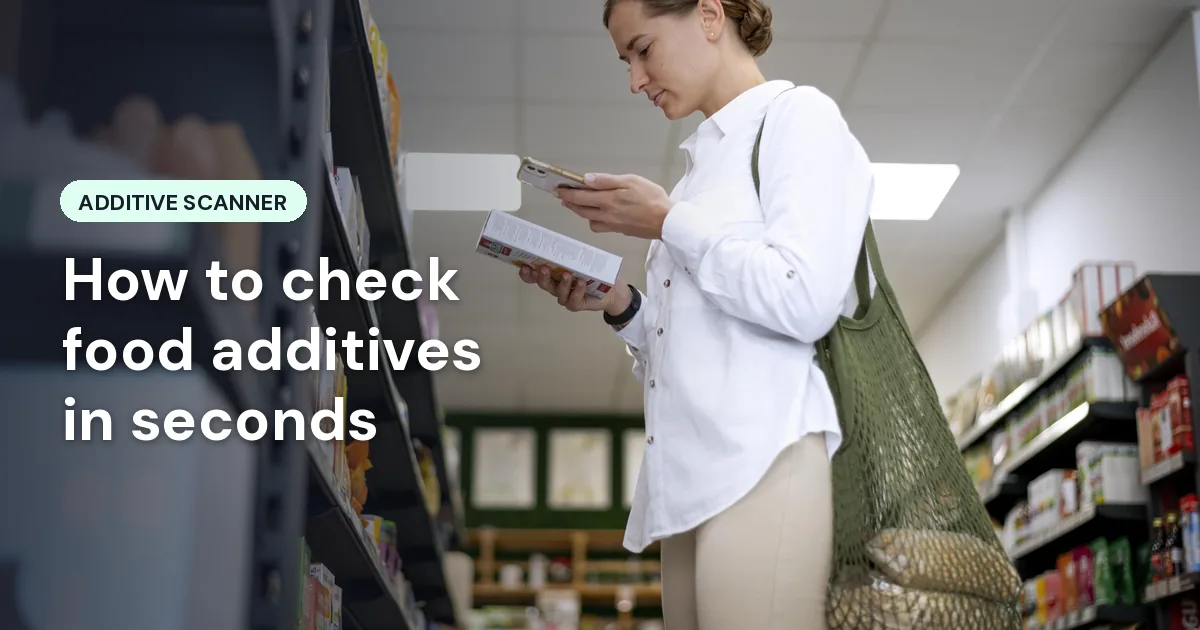
You pick up a box of crackers and turn it over. The ingredient list runs to four lines and ends with names like sodium stearoyl lactylate, mono- and diglycerides and “colour.” An imported pack in the next aisle lists E322 and E471 instead. You want to know what you’re looking at before it goes in the basket, not after twenty minutes of searching.
That’s the job of a food additive scanner app: scan the barcode or photograph the ingredient list, and get a plain-language breakdown you can check against the pack. Used well, it saves time. Used badly, it can make a perfectly ordinary product look scary. Here’s what a good additive scanner actually tells you, what it can’t, and how to use one in the aisle.
What a food additive scanner app does
Every additive scanner works from the same source: the ingredient list. In Canada and the United States, prepackaged foods must list their ingredients, generally in descending order by weight, and additives appear in that list (CFIA, List of ingredients and allergens; 21 CFR 101.4). The app’s work is to get that list and make sense of it.
There are two ways it gets the list:
- Barcode lookup. The app matches the barcode to a product record in its database. It’s fast, but only as current as the record. Our guide to how food barcode scanners work covers this in more detail.
- Ingredient-list photo. The app reads the label you’re holding. This covers store brands, new products, imports and recipe changes the database hasn’t caught yet.
Then it sorts the ingredients: which ones are foods you’d recognise from a kitchen, which ones are additives, and what job each additive does (emulsifier, thickener, sweetener, colour and so on). The best apps show their reasoning ingredient by ingredient, so you can see why a product was flagged instead of being handed a mystery score.
Why additives are a useful processing clue
Additives on their own don’t tell you a food is unsafe. Permitted food additives are assessed before use: in Canada, additives must be on Health Canada’s Lists of Permitted Food Additives, and in the U.S. food additives and color additives need FDA approval before use, while substances generally recognized as safe (GRAS) follow a separate pathway (FDA). Internationally, the Joint FAO/WHO Expert Committee on Food Additives (JECFA) evaluates additive safety and sets acceptable daily intakes (WHO, Food additives).
Where additives become useful is as a signal of how a food was made. In the NOVA classification, certain “cosmetic” additives, such as flavours, flavour enhancers, colours, emulsifiers, sweeteners, thickeners and glazing agents, are among the markers of ultra-processed foods (Monteiro et al., 2019; FAO, 2019). A loaf with flour, water, yeast and salt is a different kind of product from one that also needs emulsifiers and dough conditioners, even if both are labelled “bread.”
So a good additive scanner doesn’t just count additives. It asks what they’re there for. A preservative in jam and a list of colours, sweeteners and flavourings in a soft drink are not the same signal. For the four NOVA groups in plain English, see NOVA food classification explained.
Why one additive can have three names
This is where scanners earn their keep. The same additive can appear under different names depending on where the pack was labelled:
- Canada: additives must be declared by an acceptable common name. E-numbers and INS numbers aren’t acceptable on their own as the name, though they may appear as extra information, and some similar additives can be grouped under class names (CFIA, Food additives).
- United States: additives are listed by name in the ingredient list, with specific rules for certified colours (FDA, Color additives Q&A).
- UK and EU: approved additives carry E-numbers, which labels often use in place of the full name (Food Standards Agency).
A few common examples, with names from the FSA’s E-number list:
A scanner that recognises all three forms means you don’t have to memorise any of this. If you’d rather learn to read additives by hand, our food additive checker guide walks through Canadian and US labels step by step.
What to look for in an additive scanner app
- A photo option, not just barcodes. If a barcode miss is a dead end, the app won’t help with store brands or new products.
- Function, not just a name. “Xanthan gum: thickener” is useful. A red dot with no explanation isn’t.
- Context instead of alarm. Look for an app that explains processing level and the ingredients behind it, rather than labelling permitted additives as “toxic.”
- Handles real labels. Canadian common names, US names and E-numbers should all be recognised.
- Clear limits. A trustworthy app says it’s a general guide, not medical advice.
Quick tip: an additive you can’t pronounce isn’t automatically a problem. Check its job first. The stronger processing signal is a long run of cosmetic additives, like flavours, colours, sweeteners and emulsifiers, in a food you could make at home without them.
How to check additives in 30 seconds
- Scan the barcode. If there’s no match, or the pack looks new, photograph the ingredient list instead.
- Look at what was flagged. Which ingredients are additives, and what does each one do?
- Check the order. Ingredients are listed by weight, so the first few tell you what the food mostly is. A short list of familiar foods followed by one or two additives is a different product from one built mainly from refined ingredients, sweeteners and flavourings.
- Compare two options. Scan the alternative on the same shelf. Often a similar product does the same job with fewer cosmetic additives.
- Confirm on the pack. Recipes change. The label in your hand is the final word.
What a scan can’t tell you
A scanner reads what’s on the label, and labels have limits. Additives usually aren’t listed with amounts, so a scan can show that an emulsifier is present but not how much. It also can’t tell you how a particular additive affects you personally. If you have an allergy or a sensitivity, read the pack itself every time, because the label is the legal declaration of what’s inside (FDA, Food allergies; CFIA), and speak to a health professional about anything medical.
Finally, an additive check is one lens. Nutrients such as sodium, sugars and saturated fat are a separate question answered by the Nutrition Facts table. For a fuller label routine that covers both, see our food ingredient checker guide.
Check additives with Processed
Processed is a free food scanner for iPhone and Android. Scan a barcode or snap a photo of the ingredient list, and the app breaks the ingredients down in plain language, highlights the ones that point to ultra-processing, and shows the product’s NOVA processing level: whole food, minimally processed, processed or ultra-processed. Your scans are saved in your history, so comparing two products takes seconds.
It’s a general guide, not medical advice, and it works best alongside a quick look at the pack. Download Processed on the App Store or get it on Google Play, then scan one product you buy every week and see what’s in it.